Next-Level ELEVATED WiFi 7
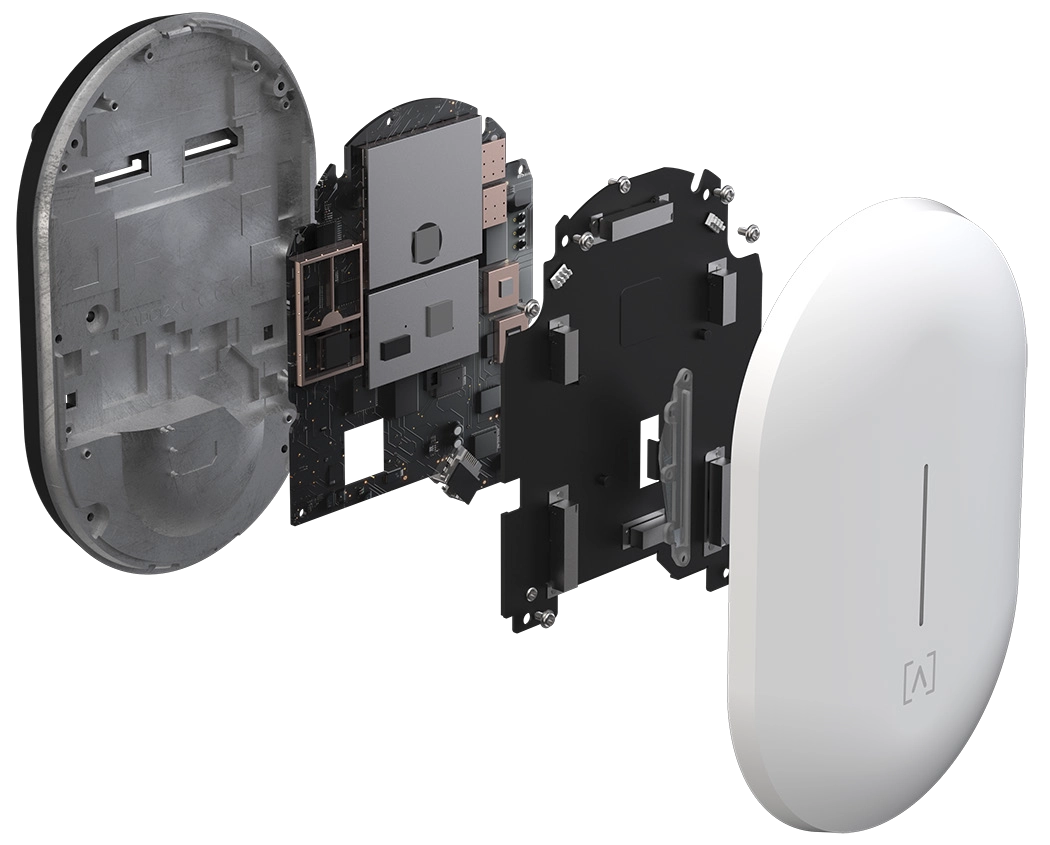
The Alta Labs AP7-Pro WiFi 7 Access Point features the same sleek, elegant design as our first-generation access points, with a slightly larger form factor to house the more complex WiFi 7 hardware. Designed to blend in with existing Alta Labs environments or just look stylish in new deployments, the AP7-Pro seamlessly integrates into corporate, commercial, and residential environments. The AP supports PoE++ to accommodate the demands of the high performance 10 Gbps Ethernet connection.
The AP7-Pro is a Tri-Band access point, providing 2x2 MIMO radios on the 2.4 GHz and 6 GHz bands and 4x4 MIMO connectivity on the 5 GHz band for blazing-fast speeds and superior range.
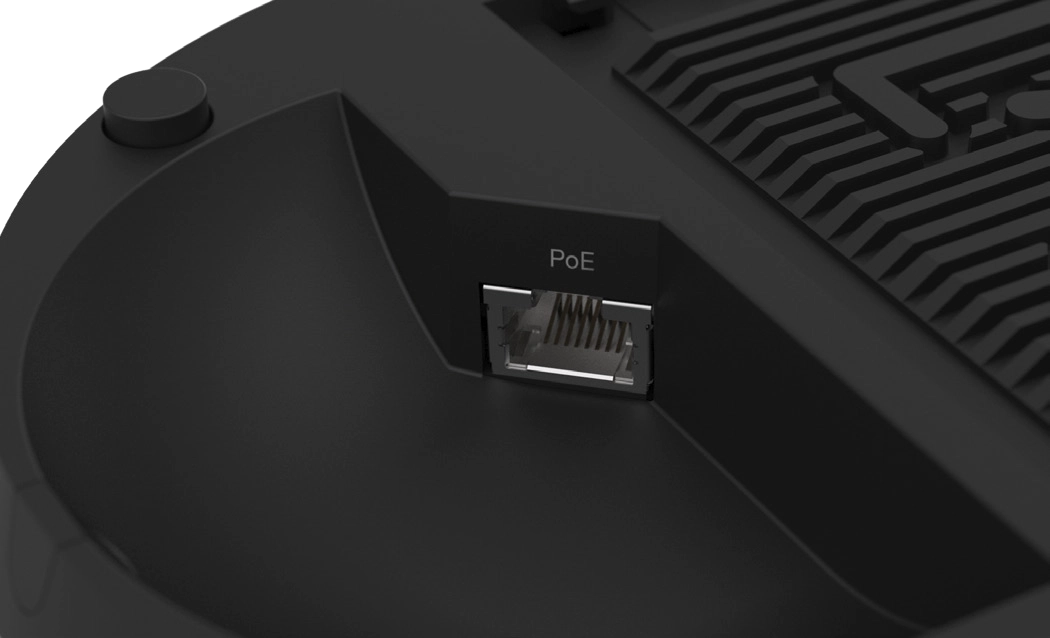
High Performance 10 GBPS Ethernet
Designed with the future in mind, the AP7-Pro includes a blazing-fast 10 Gbps Ethernet port. Take full advantage of the maximum speed that your WiFi 7 Access Point can deliver by connecting your wired connection at 10 Gbps.
Superior Range and Performance
Our proprietary antenna design provides superior range and performance. The AP7-Pro offers Tri Band connectivity, featuring four 5 GHz antennas, two 2.4 GHz antennas, and two 6 GHz antennas. Seamless roaming is fully automatic with support for the 802.11 k, v, and r standards. The AP7-Pro utilizes intelligent mesh formation for maximum throughput.
5 & 6 GHz Mesh Functionality
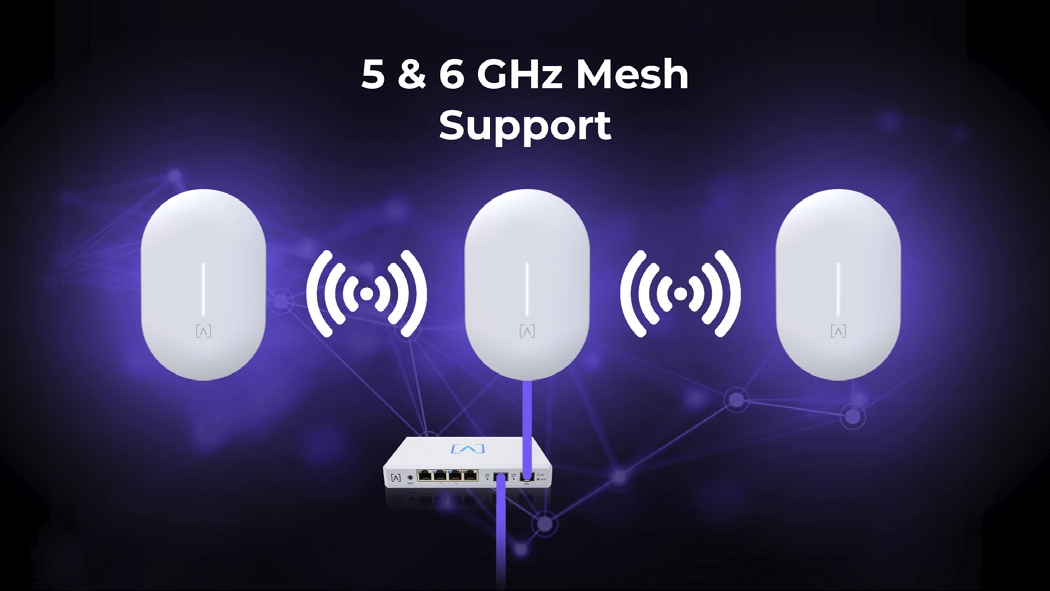
The AP7-Pro supports Mesh functionality, including the 5 and 6 GHz frequency spectrum, allowing you to take full advantage of your WiFi 7 access point. Mesh technology can extend your WiFi network to areas that may be difficult or unreachable with wired Ethernet.
Vouchers
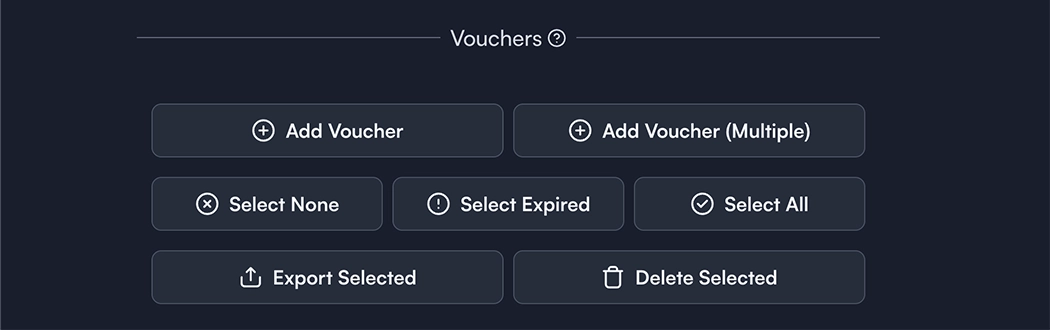
Provide guests with temporary access to your WiFi network using vouchers. Perfect for hospitality, restaurant, and other venues, vouchers can be given to your guests as a simple QR code that they scan with their mobile device. This provides a limited-time, limited-bandwidth connection using several easily customizable parameters in the management portal.


One-Click Passpoint and Carrier Offload
When Alta Labs access points have AltaBoost enabled, cellular devices can use your Alta Labs WiFi network as if it were a cell tower. In simple terms, it takes your phone’s cellular data (and even voice calls) and routes them securely over your WiFi connection. AltaBoost uses a technology called Passpoint (also known as Hotspot 2.0) to broadcast a special WiFi network that participating mobile carriers automatically recognize. Connectivity is seamless and secure, using the user's existing cellular credentials automatically. Most major carriers are supported. The Alta Control cloud-based management platform provides the easiest method for enabling AltaBoost and other Passpoint providers with a single button click.
Alta Labs is the first and only networking vendor to fully support "Connect Info" Quality of Experience metrics on WiFi 7 in 6 GHz, required by major telecom carriers to achieve maximum performance with carrier offloading.
Scalable Cloud-Based Management
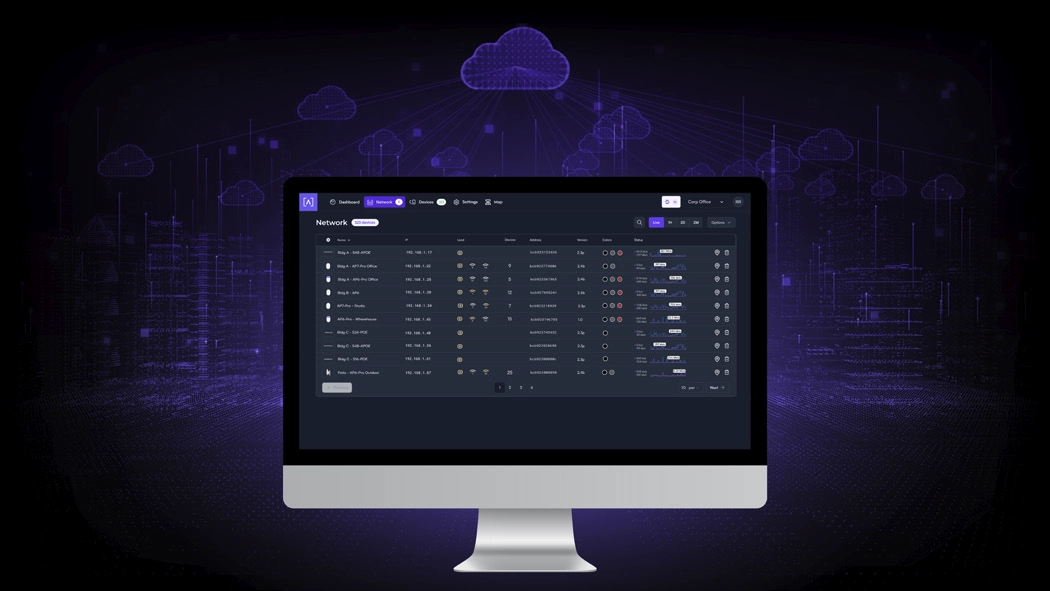
Alta Labs provides an intuitive and easy-to-use cloud-based management interface for Alta Labs products. Designed for optimum scalability using a high-availability architecture for the ultimate in convenience and worldwide accessibility. Built on a worldwide content delivery network to optimize response and latency, our global cloud infrastructure ensures geographically optimized connectivity through our redundant network.
Deploy and manage multiple sites quickly and easily. Add, delete, or rename sites instantly. Toggle between sites from a site selection drop-down. Each site contains its own data set.
Mobile App
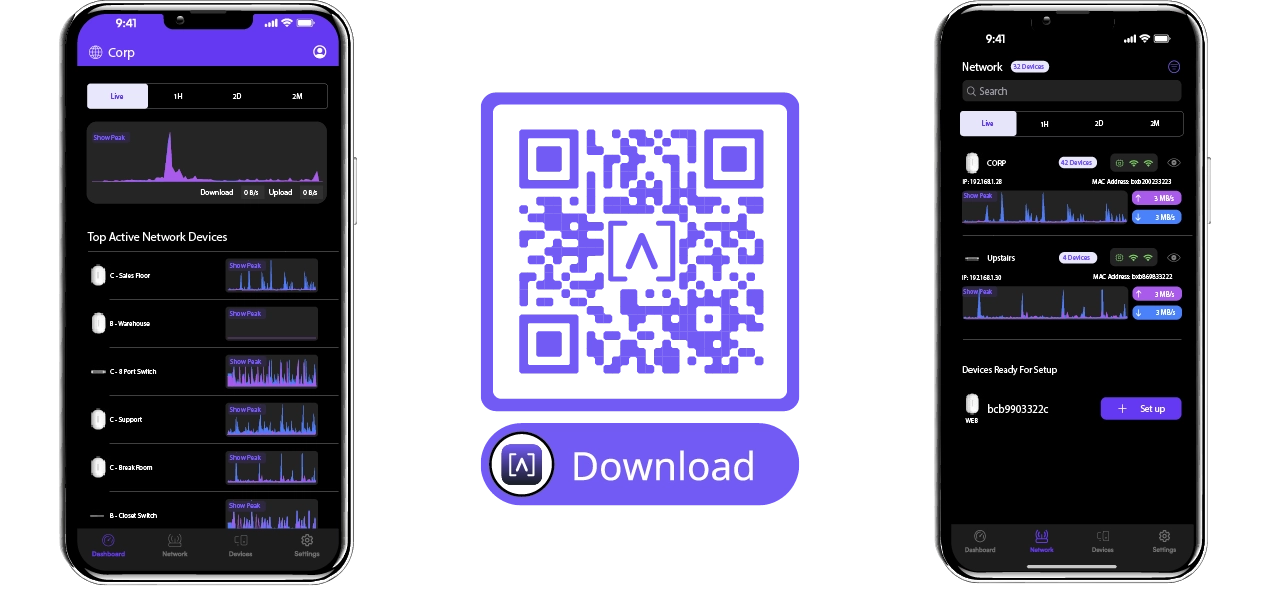
Monitor and manage your networks from the convenience of your mobile device using the Alta Networks app. Sign up for an Alta Labs account using just your name, email, and password or sign in using your Google or Apple account.
Advanced Filtering - DPI Engine
The Alta Labs access points have a powerful built-in Deep Packet Inspection (DPI) engine. By incorporating this feature directly in the access points, there is no need to purchase additional hardware to take advantage of this powerful tool.
Restrict access to websites, applications, or application types. Filter settings are easily applied in the Alta Labs web management interface.
Select applications or application types in the Block Applications drop-down menu. Block websites by typing in their domain names in the Block Domains field.

Password-Based Exceptions
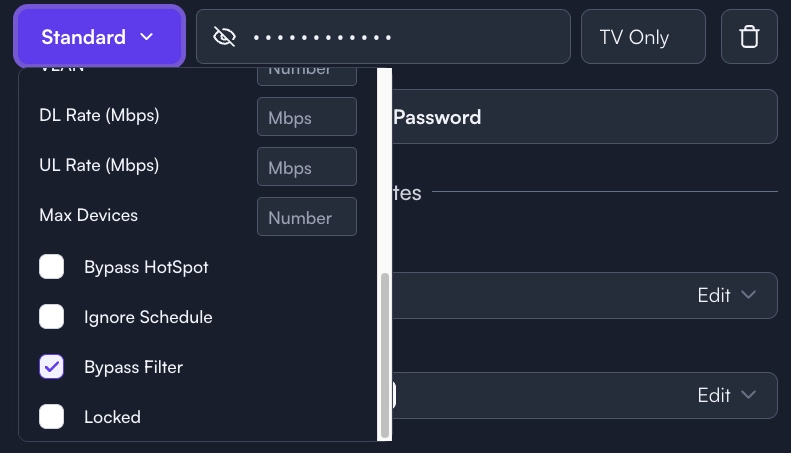
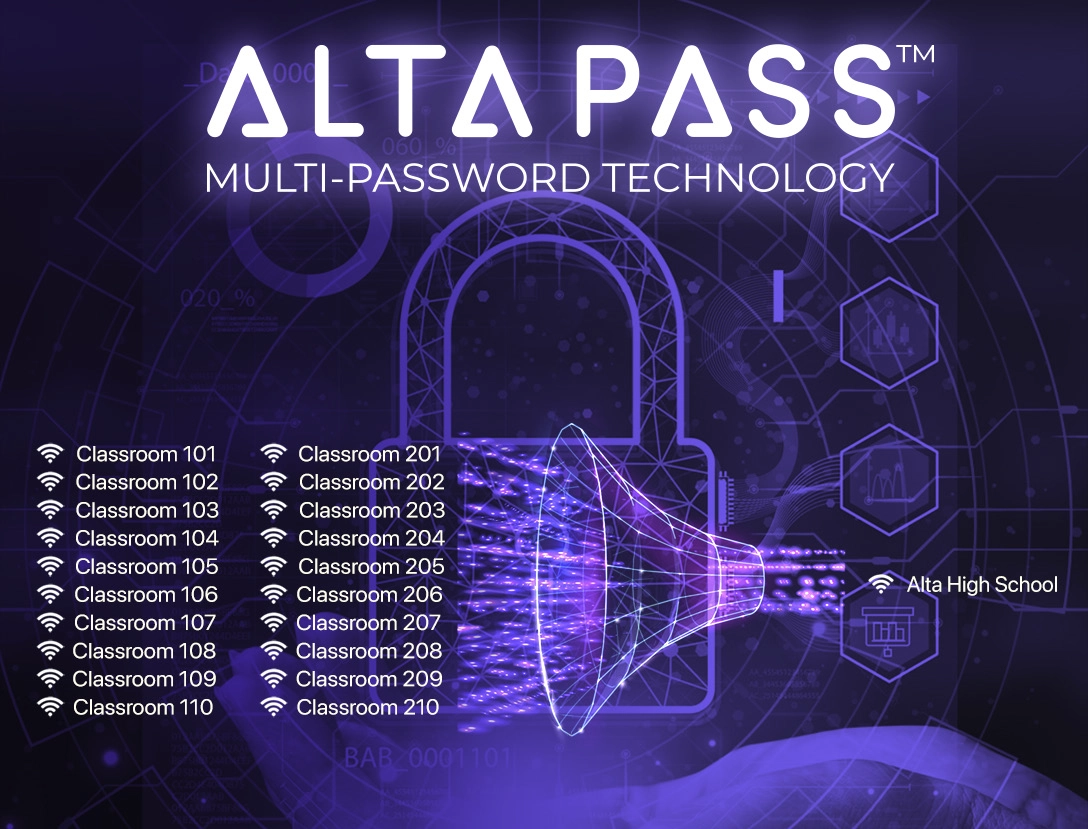
There are many scenarios where users can’t have or don’t need their content filtered. The Alta Labs management interface allows you to bypass the site filter policy. Define a password to provide to users that bypasses the defined filter rules. If a hotspot has been created, it can also be bypassed. If a schedule has been defined, it can be ignored. Multiple password options can be defined using various combinations of the options but when using 6 GHz frequency, only the first password defined applies to the 6 GHz band. Multi-Password Technology works with 2.4 GHz and 5 GHz bands. Currently 6 GHz requires WPA3 security, which only allows one key per SSID.
Device Specific Exceptions
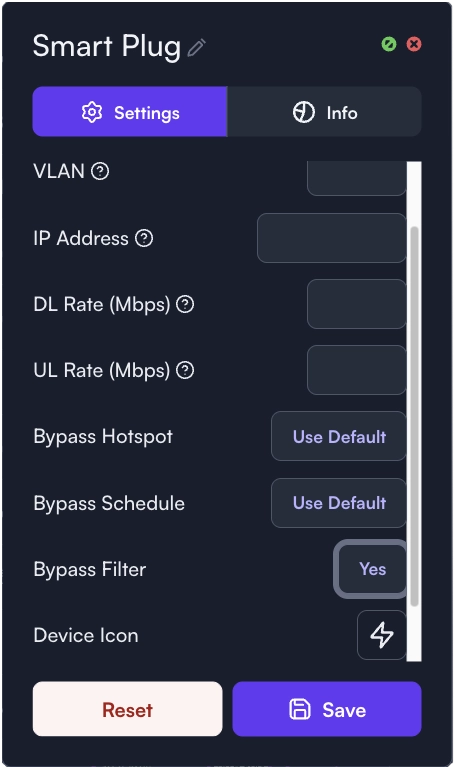
For instances where specific devices should not have their content filtered, adhere to a schedule, or bypass a hotspot, admins can allow individual devices to bypass the filter, schedule, and/or hotspot settings.
AltaPass™ Multi-Password Technology
AltaPass™ is Alta Labs' patented technology (USPTO 12047240) built into all Alta Labs access points. It allows clients to connect to the same wireless network SSID using different passwords. Clients are provided with different network and internet access levels based on the password they use to connect to the network.
When a password is created, select from one of the predefined standard use cases. The password can then also be associated with a specific upload or download rate, a VLAN, or set to bypass the filtering rules, the hotspot functionality, or to ignore the schedule.
- Standard/Small Typical network with less than 100 WiFi clients/devices
- Large Optimized for hundreds to thousands of WiFi clients/devices
- IoT Restricted to Internet and local incoming connections only
- Internet only Restricted to Internet only
- Guest Restricted to Internet and IoT devices
The preferences associated with the initial password will work on the 6 GHz operating frequency but Alta Labs is currently working with standards bodies for a solution for multi-password on the 6 GHz band. 6 GHz requires WPA3 Security, which only supports a single password SSID.
Hotspot Functionality
Built-in functionality to create your own local hotspot with a logo, title page, terms of service, and a final landing page. You also have the option to redirect to an external URL.

On-The-Fly Changes and Scanning
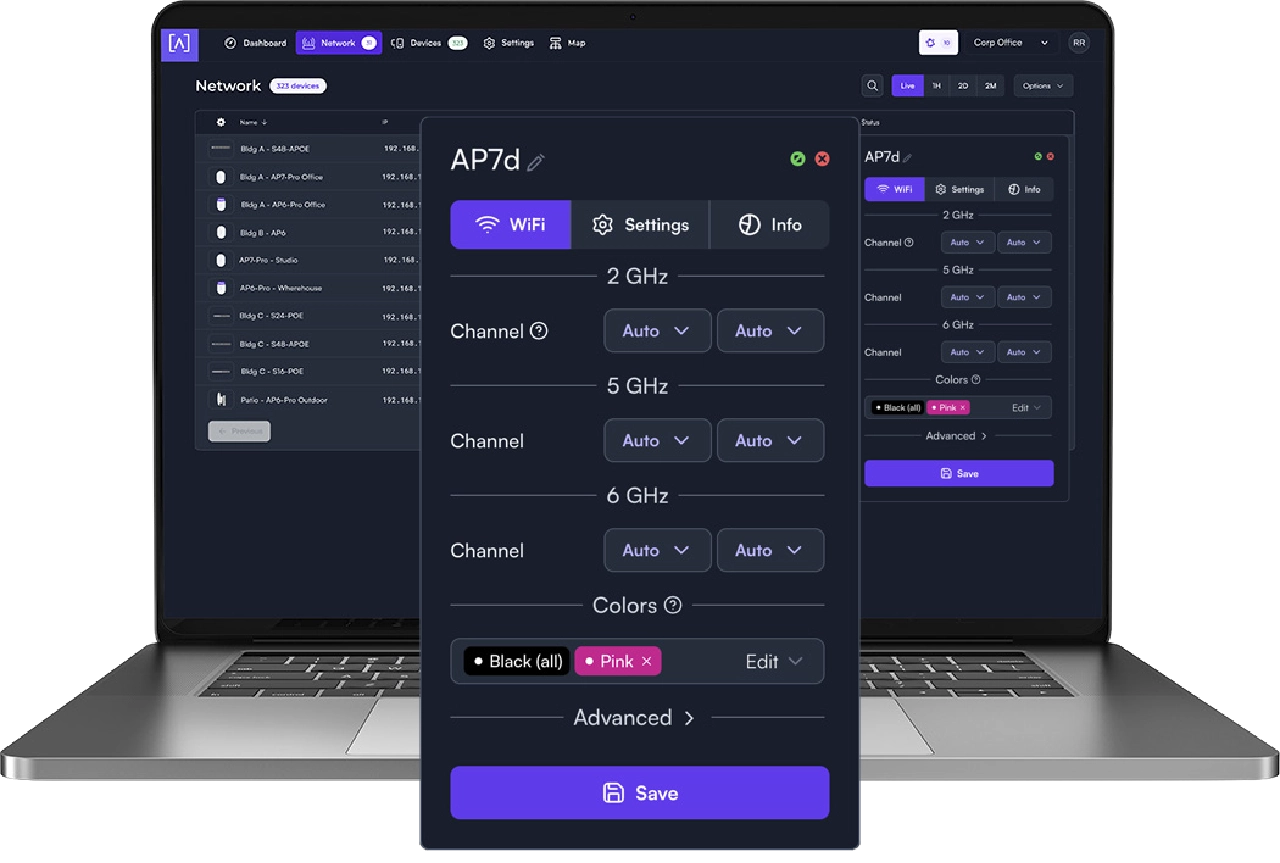
- Configuration changes do not require a reboot of your network. Changes can be made without taking your network down.
- Scan your AP environment without disrupting your WiFi network.
Wireless Network Color Coding
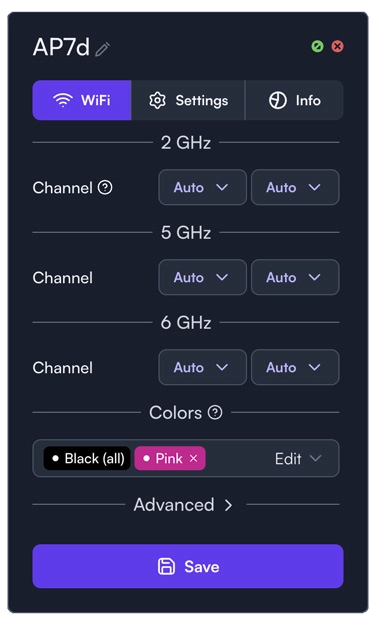
Patent pending functionality that allows you to assign groups to wireless SSIDs and then assign membership to wireless access points.
SSID Broadcasting Flexibility
In addition to standard functionality such as hiding your SSID, you can continue broadcasting your SSID during a “scheduled off” event. This provides network admins with the ability to grant users additional time on the network. A user can request access via a captive portal displayed when they try to access the network.
Status Snapshots
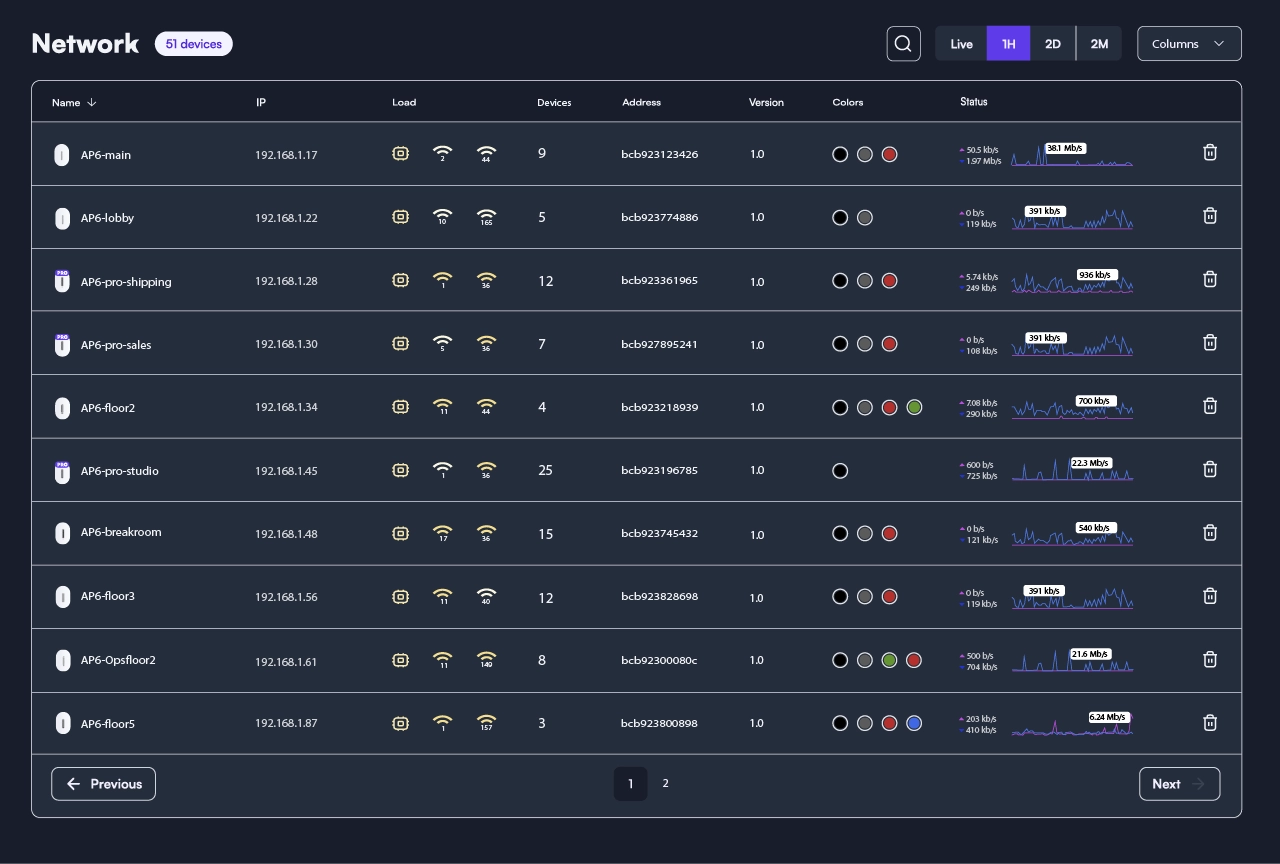
View upload and download throughput with a visual timeline on the dashboard for each AP displayed along with the number of connected devices, average processor load, channel load, and average connected devices. Select a snapshot of the last minute, last hour, last two days, or last two months.
Customizable Dashboard
Customize your dashboard with the information you want to see: IP address, Load, number of devices, MAC address, firmware version, wireless network color assignment, and real-time status details. Details are sortable by column.
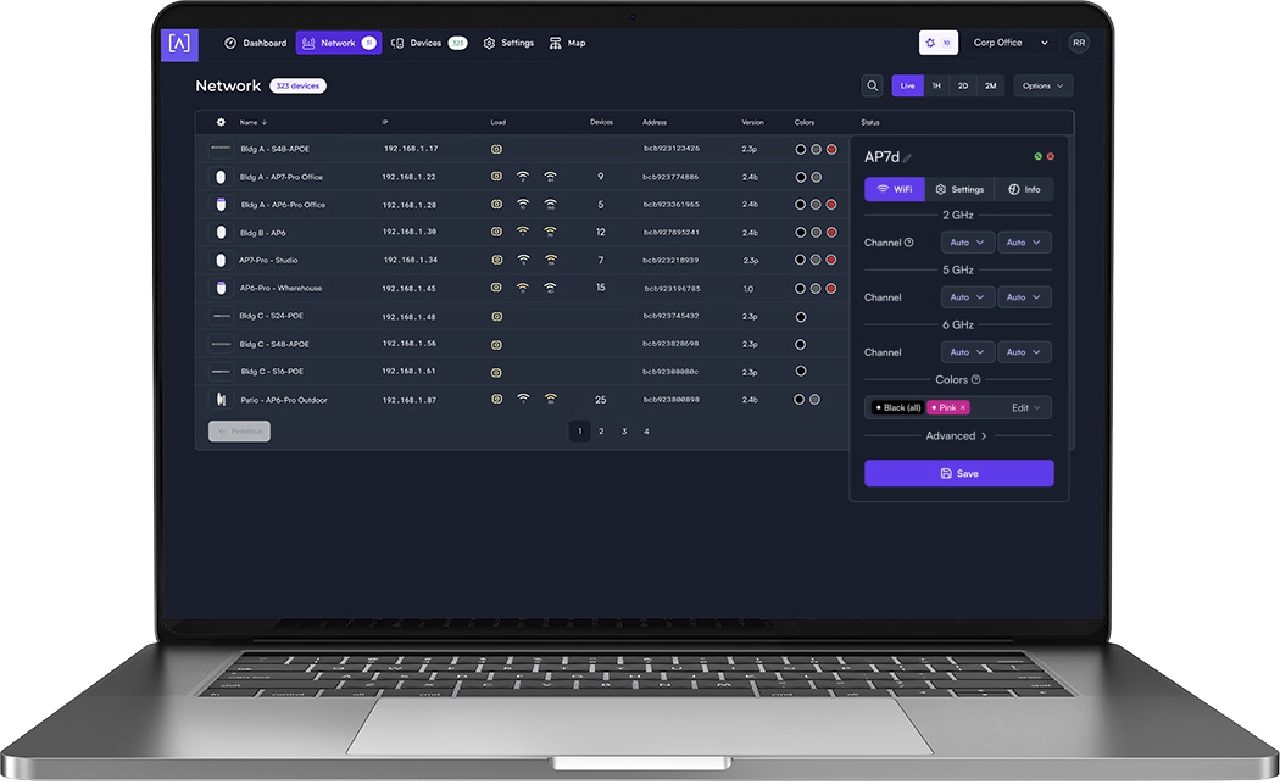
Device Cards
Easily view connection details and configure your access points or client connections by clicking the device icon.
FEATURES


2.4 GHz 2x2 DL/UL MU-OFDMA


